






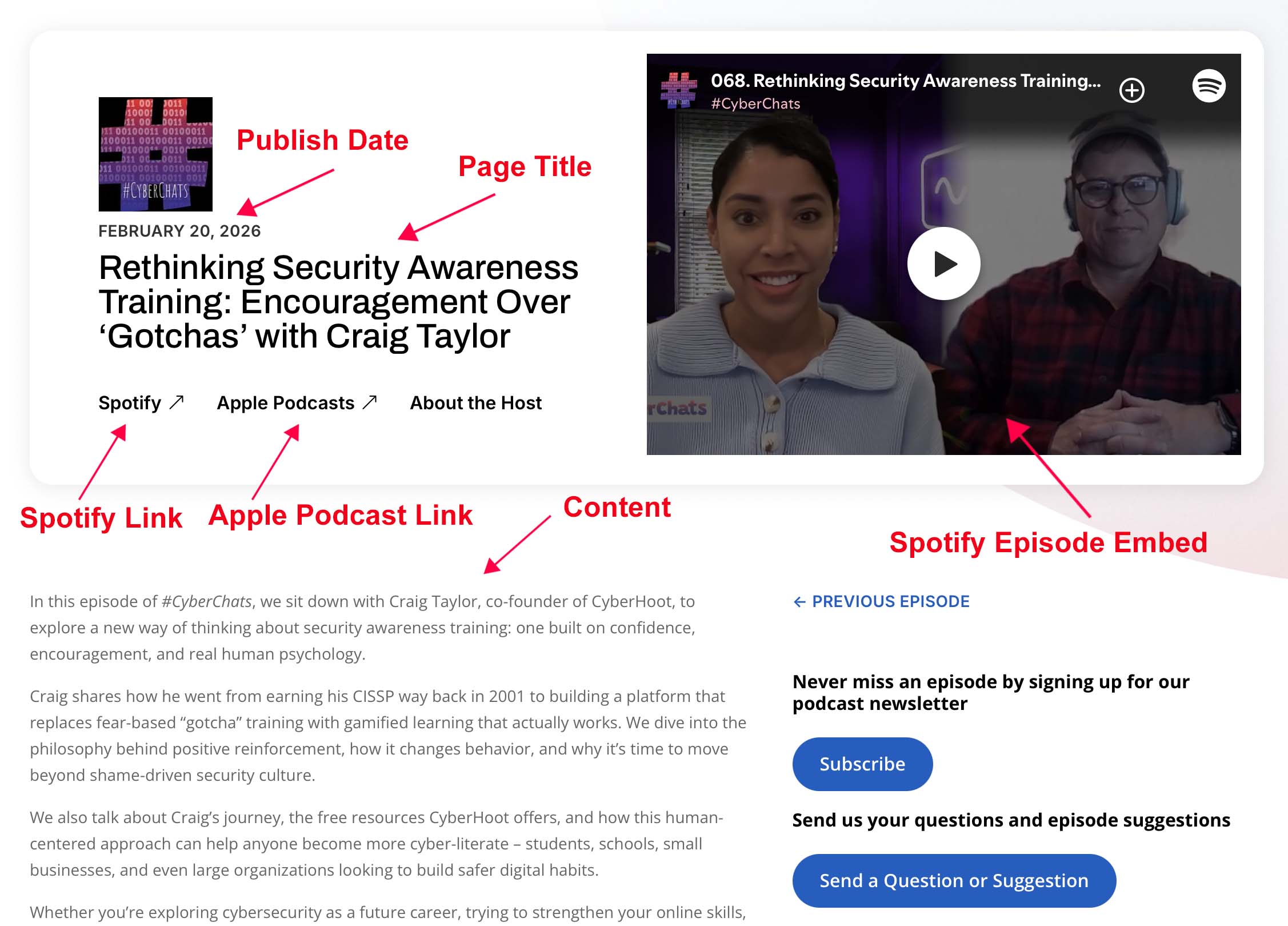
The podcast pages do not use the Divi Builder. All of the content is added through custom fields and the simple text editor for the Episode Description.
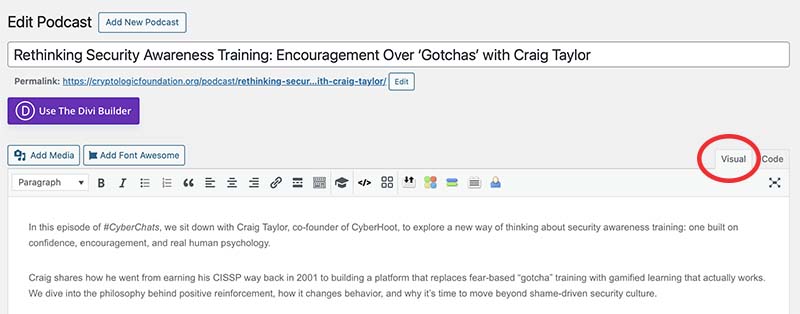
Episode Description: Copy the episode description from Spotify and paste it into the main content section. If you click the Visual tab you will be able to style the content as you want – bold, italic, including links, etc.
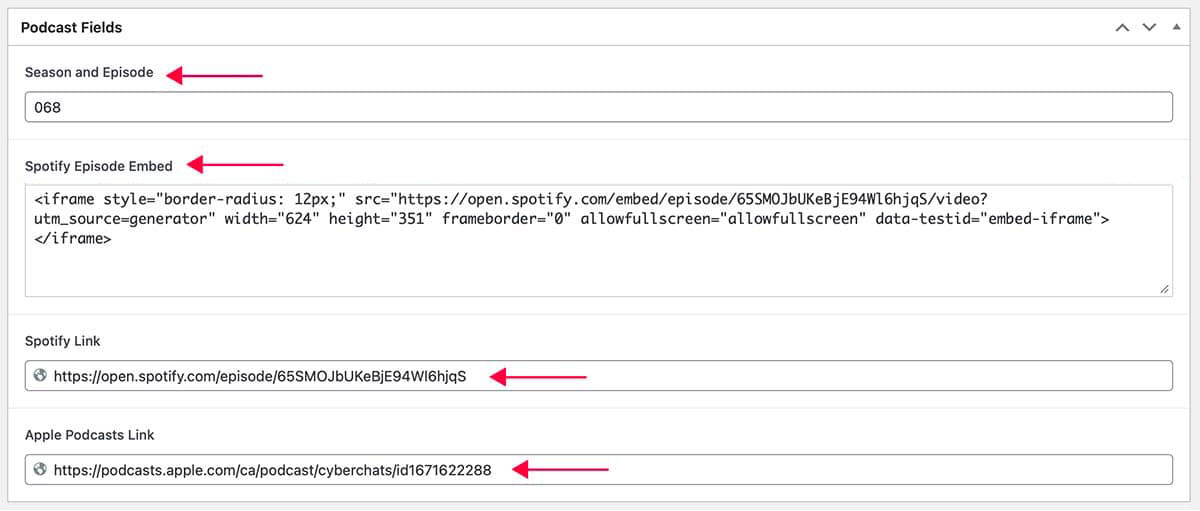
Season and Episode: This doesn’t currently show up anywhere on the live page but it did look like this was used on the CyberChats archived podcasts so if you want to use this we can add it.
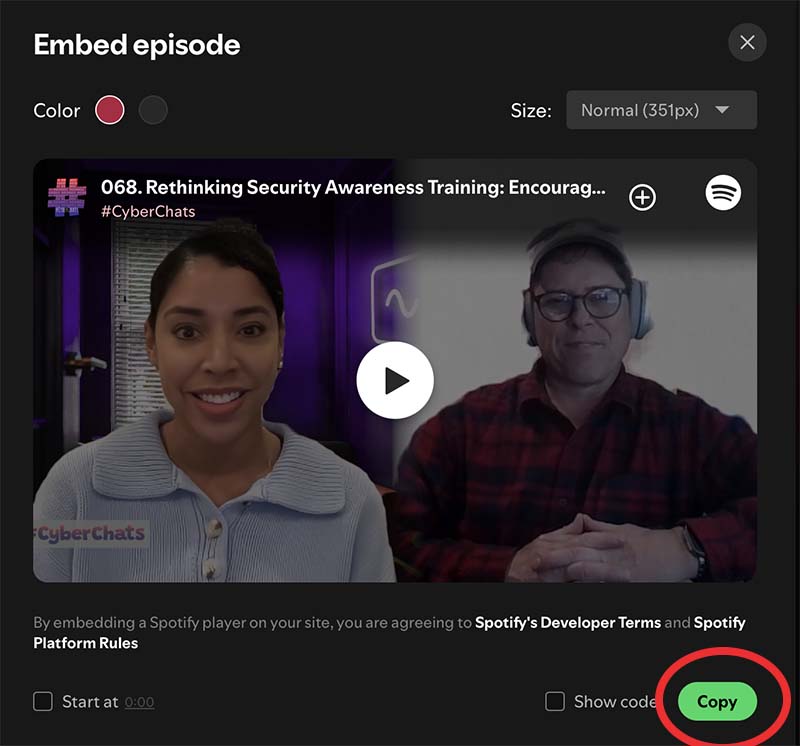
Spotify Episode Embed: Navigate to the Spotify Episode, click on the three dots and select “Embed Episode”. Copy the link and paste it into the custom field.
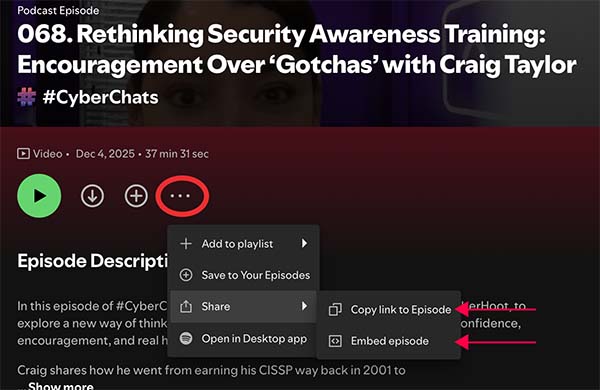
Spotify Link: Under the same three dots, select “Copy link to Episode”. You’ll get a notification that the link has been copied. Paste it into the custom field.

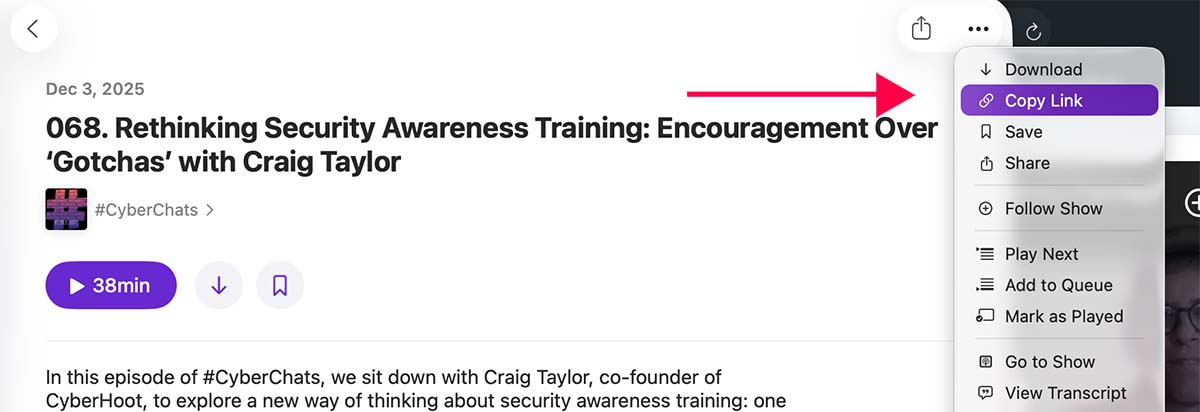
Apple Podcast Link: Navigate to the episode in Apple Podcasts, click the three dots in the upper right and select Copy
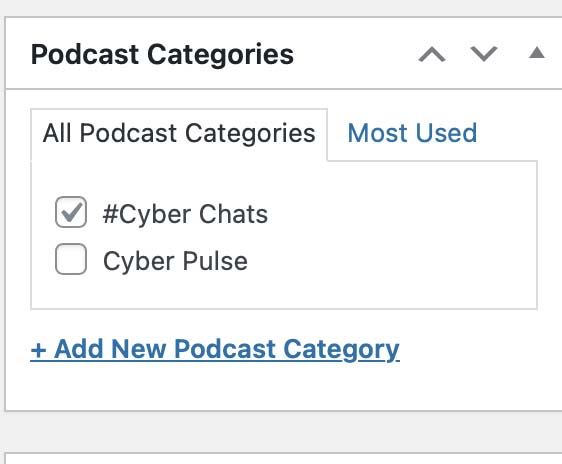
Category: This selection determines which elements show up on the page (ex. About the Host, Subscribe buttons, etc.)
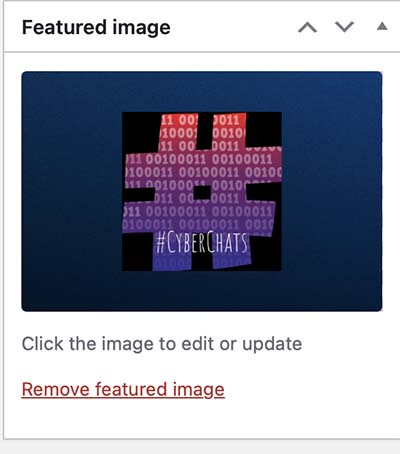
Feature Image: This shows up as the thumbnail when the page link is shared.
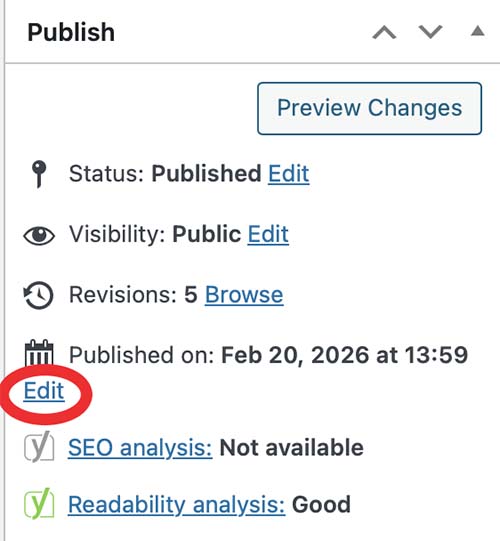
Publish Date: By default this will be the date you create/publish the podcast but you need to click Edit and change it to the date the podcast was actually published to Spotify/Apple so it shows up properly in the header content and also in the Episode Grids.
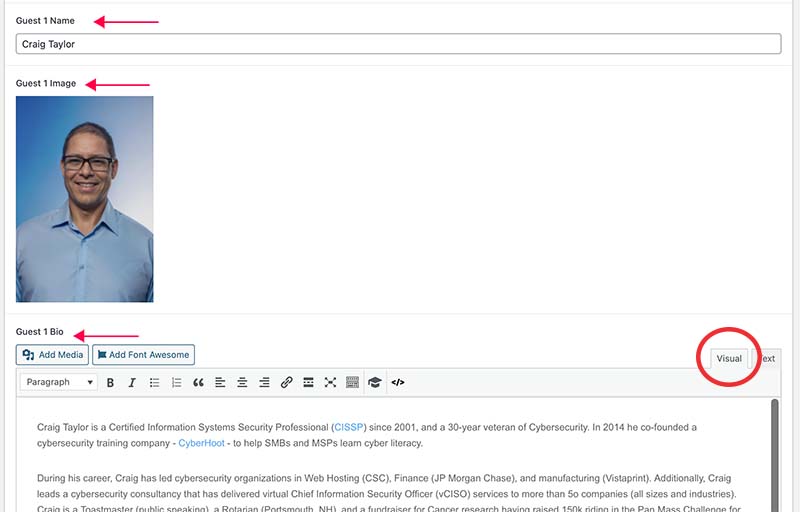
Guest Info: If there are guests, you can use these custom fields to add headshots and bios. There is an option for a second guest. If there is ever an instance where you need more guests, we can add those fields in.